What is North Embedded Checkout?
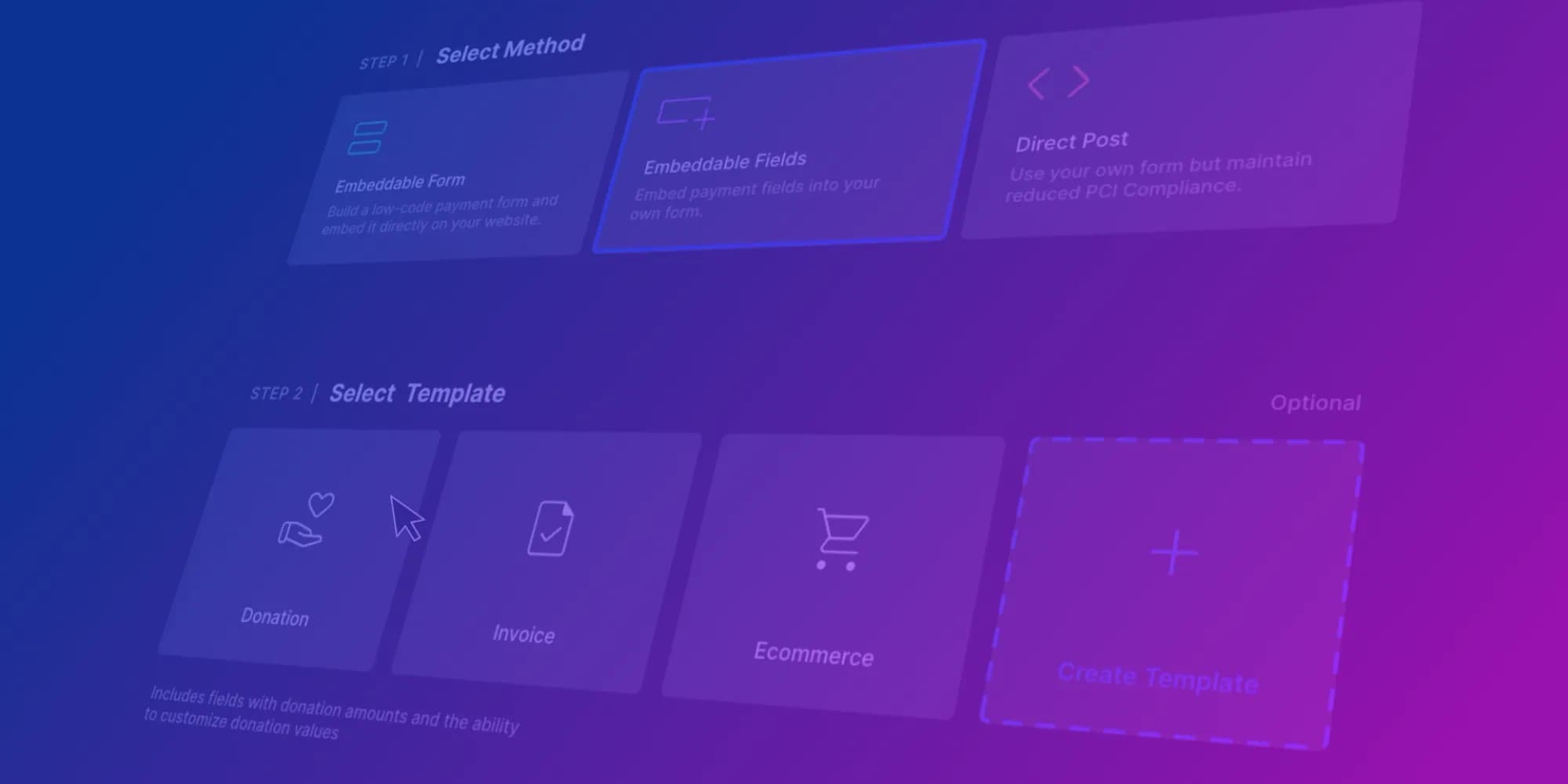
North Embedded Checkout is North’s product for accepting card and digital wallet payments on your own site while keeping sensitive payment data out of your servers. You embed a North-hosted checkout in your page, either as a prebuilt form, individual hosted fields, or a Direct Post flow for more control, so shoppers get an on-brand payment page and your PCI scope stays reduced compared with handling raw card data yourself.
You can style the experience with the Embedded Checkout Designer, support wallets such as Apple Pay and Google Pay™, and use transaction tokens for follow-up actions like voids and refunds without storing card data in your environment. The Checkout Designer makes it easy to customize branding, payment methods, receipt behavior, webhook URLs, create your own fields and more, rather than spreading those concerns across a large dashboard or relying mainly on SDK presentation hooks. You can also use the Designer to send mock requests and test the checkout UX with integrated test tools.
The typical integration path is simple: your backend starts a session, the browser mounts Embedded Checkout, then your server confirms the payment result. Form, Fields, and Direct Post share that same session-first shape, so switching integration styles across products or pages is usually a configuration and mount change, not a new ground-up payment integration. Step-by-step instructions are in the Embedded Checkout integration guides.
Checkout options at a glance: checkout flows, PCI scope, and plugins
If you need a payment page or online checkout that keeps shoppers on your site, minimizes PCI scope, and fits both custom apps and ecommerce checkout plugins, compare three common paths: North Embedded Checkout, Stripe Checkout (hosted or embedded), and PayPal Advanced Checkout (including PayPal gateway checkout with the JavaScript SDK). All three address credit card payment integration, but they differ in how much server code you write, how you customize the checkout page, and how one-click checkout features are exposed. This article provides a structured comparison and a decision framework around North, Stripe, and PayPal.
At a glance:
- Stripe Checkout is mature and feature-rich, but the developer experience can feel crowded: many entry paths, demos that do not carry configuration into “start building” flows, and documentation that takes time to sift through.
- PayPal Advanced Checkout is a credible PayPal gateway checkout with strong risk and testing tooling, but UI customization and solutioning is bounded by what the SDK exposes.
- North Embedded Checkout keeps shoppers on your site with a North-hosted card and wallet experience you shape through the Embedded Checkout Designer. Configure the appearance and behavior (branding, payment methods, receipts, webhooks, custom fields) in one checkout-centric console. You'll get white-glove Sales Engineering and integration support from the initial project discovery through integration and certification. North also supports many high-risk MIDs and MCCs, including ecommerce tobacco, firearms, ammunition, and bail bond insurance, which other providers are often unwilling to underwrite.
Get in Touch
Talk to us about Embedded Checkout, hosted payments, or ecommerce plugins for your stack.
Stripe Checkout: strengths and tradeoffs
Stripe Checkout is Stripe’s prebuilt payment checkout flow. Most teams use it in one of two ways: a Stripe-hosted page (customers may move across domains depending on the setup) or an embedded option that keeps more of the experience on your site. You create a Checkout Session on your server, Stripe renders the UI, and Stripe handles many of the payment-method and compliance details. Stripe shines in its broad payment-method options, comprehensive docs, and a large third-party ecosystem.
Tradeoffs that integrators should plan for:
- Object graph vs. session-first model. Stripe’s power is the interconnected object model: Checkout Sessions, Payment Intents, Customers, and related APIs. That flexibility adds complexity and development effort for teams whose focus is: start a payment session, render the UI, and confirm the payment response. North’s public checkout script centers on a short-lived session your server mints, embedding the UI, and completing the payment with Bearer-scoped API calls to North’s checkout service, often improving the time-to-first-transaction.
- Device and fraud layering. For fraud protection with Stripe, you typically set up Radar and rules, bring your own device or risk vendors, or both, which adds more wiring compared to North’s baked-in device fingerprinting that's initialized when the checkout script loads, threading a secure fingerprint result through the payment payload.
- Demos vs. production. Interactive demos do not always carry settings into “start building” flows, so teams may repeat configuration work when moving from sandbox to shipped code.
- Documentation volume. Comprehensiveness is a strength, but with a high number of paths to entry, onboarding a new engineer will likely require a deeper level of hands-on guidance to ensure deliverables meet expectations.
- Operational lift. Teams that go deep on Stripe frequently become enmeshed in Dashboard workflows, webhook API versions, Connect, Billing, Tax, reporting, and more. With North Embedded Checkout, getting off the ground stays simple with fewer vendor-specific concepts to master.
Stripe remains a strong fit when you are already aligned with Stripe Billing, Connect, Tax, Radar, and related products, and when the variety of payment options matters more than a narrow integration story.
PayPal Advanced Checkout: strengths and tradeoffs
PayPal Advanced Checkout and related PayPal gateway checkout flows combine PayPal’s JavaScript SDK with REST APIs. Merchants often choose between simple integrations and advanced flows that embed card fields and PayPal wallet experiences. PayPal shines in its familiar wallet brand, global buyer recognition, and documentation including guided paths and sandbox test cards.
Tradeoffs that integrators should plan for:
- Merchant-owned order orchestration. With PayPal Advanced, your server usually starts by calling PayPal’s REST API to create an Order, and receives an Order ID. The browser SDK then drives the payer through the payment fields and any additional required steps. When the payment is submitted, your backend typically completes that same Order. In this model, you explicitly coordinate REST resources and client callbacks. The SDK helps with presentation and authentication, but it does not replace that server-side order lifecycle. North Embedded Checkout simplifies this flow: your backend mints a short-lived checkout session, the buyer pays inside the embedded iframe, and your backend finishes with a Bearer-scoped API call to validate the payment response.
- Field-level UI vs. a unified mount. PayPal Advanced Checkout frequently means mounting each card input into its own DOM container and stitching SDK callbacks together. Flexible, but closer to assembling an independent design system. With Form and Fields integration methods, North’s script drops an iframe-backed checkout into a container as one unit, which usually means less front-end glue and room for error, at the cost of PayPal’s per-field composability.
- Fraud and risk add-ons. PayPal provides fraud tools and documented 3DS flows, but merchants usually wire those explicitly rather than North’s out-of-the-box device fingerprinting when the embed script loads.
North Embedded Checkout: how it fits
North Embedded Checkout fits when you want a seamless on-brand payment experience on your own site without routing raw card data through your stack. Integration options include a prebuilt form, individual hosted fields, or Direct Post, so you can tune configuration speed against composition control. The Embedded Checkout Designer is the central place to adjust branding, payment methods, receipt and webhook behavior, and related settings tied to the checkout your code already uses. Alternative Payment Method (APM) support includes Apple Pay and Google Pay. Transaction tokens support voids, refunds, and reversals without storing card data in your environment. This aligns with the follow-up APIs documented under North’s Online and Full-Featured payments sections.
North Embedded Checkout is intentionally narrower in scope than a global payments superset: fewer overlapping entry paths, one primary product story, and clear guides for each of the three integration shapes.
Where North Embedded Checkout shines:
- Session-first flow. You mint a short-lived checkout session, mount the embed, and confirm the payment with Bearer-scoped server calls, instead of growing a large Stripe-style object graph or shepherding a PayPal Order ID through SDK callbacks and REST completion steps.
- Out-of-the-box fraud protection. Device fingerprinting starts when the checkout script loads so you are less likely to need a separate integration whose only job is to emit that kind of signal (for example Stripe Radar or PayPal fraud add-ons). Furthermore, North’s in-house payment processor also includes fraud protection as standard at the ground level for all transactions processed through it.
- Designer-led presentation. The Embedded Checkout Designer centralizes how the checkout looks and behaves, so design and integration stay tied to the same checkout configuration your server already passes into session creation. Integrated test tooling in the Designer supports UX iteration without standing up a separate test instance.
- Same integration core across Form, Fields, and Direct Post. All three paths use the same session-first, server-confirmed pattern; choosing among them is mainly about how much of the page you compose versus how much North renders, which is handy when one product needs a full embedded form and another needs individual payment fields without adopting an entirely different integration approach.
- Unified mount when you want it. North Embedded Checkout Form and Fields can drop an iframe-backed checkout into a container as one unit, which usually means less front-end maintenance than mounting each vendor-hosted card field in its own DOM element.
- Narrow operational footprint. North Developer offerings are streamlined to this checkout and related online APIs, so you are less likely to inherit a sprawling dashboard and deep product matrix when embedded checkout is the main focus.
Side-by-side comparison
| Criterion | North Embedded Checkout | Stripe Checkout | PayPal Advanced Checkout |
|---|---|---|---|
| How checkout appears | Embedded on your page: prebuilt Form, individual Fields, or Direct Post | Stripe-hosted Checkout page (redirect) or embedded Checkout, depending on integration | PayPal’s JavaScript SDK runs on your page and renders wallet and hosted card fields in containers you provide |
| Typical server flow | Create a checkout session on your server; browser mounts the UI; complete payment with server-side calls using the session | Create and manage Checkout Sessions on your server; Stripe renders Checkout; use webhooks or server retrieval for outcomes | Create and complete Orders via PayPal REST APIs; browser SDK handles payer steps such as approvals and 3DS where applicable |
| Layout and branding | Embedded Checkout Designer: checkout-scoped branding plus methods, receipts, webhooks, and related behavior in one tool | Checkout branding and settings in Stripe; highly custom layouts usually mean more Stripe.js/Elements work | Presentation and styling within SDK-documented options |
| Wallets and payment methods | Apple Pay and Google Pay are supported; step-by-step enablement is described in the Integration Guides | Method availability depends on Stripe configuration | PayPal wallet and optional products are available |
| Device signals and fraud tooling | Out-of-the-box device fingerprinting and fraud control at the processor level | Stripe Radar, rules, and related products | Fraud and 3DS options for Advanced Checkout |
| Card data on your servers | Sensitive card data stays inside North rails with the Fields or Form integration methods. Confirm PCI scope with our Sales Engineers | Checkout and Elements are designed so raw card data does not pass through your servers in the standard hosted-field pattern. Confirm scope with Stripe and your assessor | Card entry for Advanced flows is handled in PayPal-hosted contexts per their integration model. Confirm scope with PayPal and your assessor |
When to choose North Embedded Checkout, Stripe Checkout, or PayPal Advanced
- Choose North Embedded Checkout if you want a checkout page that feels native to your product, a Designer-driven way to align branding with operational settings (webhooks, receipts, methods), and a clear integration path with docs centered on one checkout product rather than a wide parallel catalog.
- Choose Stripe Checkout if the rest of your financial stack is using Stripe and you want the broadest online checkout feature matrix.
- Choose PayPal Advanced Checkout if wallet share and PayPal buyer trust are non-negotiable and your backend team is comfortable owning explicit order lifecycle calls in exchange for PayPal’s tooling.
FAQ
Is embedded checkout the same as a hosted payment page?
Often the same compliance goal (keep raw card data off your servers) with different UX: embedded stays in-page; hosted may redirect. Both compete for queries like payment page and hosted payment page.
Is Embedded Checkout the same as a hosted redirect?
Not necessarily. Embedded Checkout keeps payment field collection inside an embedded, provider-hosted surface on your page. A full redirect product (for example some hosted pay pages) sends the browser elsewhere. Pick based on whether you need the shopper to stay on your domain and how much UX control you need—see how to choose embedded payments.
How does this relate to credit card payment integration more broadly?
Card acceptance always implies gateway, processor, and compliance responsibilities. Hosted fields and checkout products exist to deliver checkout payment without your servers touching PAN data. Deeper custom needs may still point to full APIs—overview: payment API integrations.
Does one-click checkout require a specific vendor?
No. One-click checkout is an outcome: saved instruments, returning buyers, wallets. Stripe emphasizes Link; PayPal emphasizes Fastlane and saved methods; North emphasizes wallets and any saved-payment capabilities documented under Embedded Checkout. Availability depends on product enablement and your processor setup.
Where should I start in North’s docs?
Open Embedded Checkout, pick an integration type and read the tech docs (Form, Fields, or Direct Post), and start playing with the Checkout Designer.