Intro
ISVs integrating payments often face a balancing act between on-brand UX and secure, compliant engineering. North's Embedded Checkout mounts a hosted payment UI in your pages (Form/Fields keep card data in North’s ecosystem) while your server creates sessions and holds API keys.
This guide walks through a Next.js (App Router) + TypeScript demo app: an ecommerce storefront, payment submission and verification, and HTTPS webhooks (including when new merchants are added to your checkout). It compares the three integration methods: Form, Fields, and Direct Post, then guides you through publishing your sandbox checkout to the production environment.
Deploying the checkout form on your app is not the same as live payment processing. Until the checkout is published in North's systems, traffic stays in sandbox even on a production URL. Go live by publishing the checkout, then boarding and attaching production MIDs.
What is North Embedded Checkout?
Embedded Checkout is North’s online checkout product: it embeds a North-hosted payment experience on your pages so shoppers can pay on your domain with less Payment Card Industry (PCI) responsibility than handling raw card data yourself, using a prebuilt form, individual hosted fields, or Direct Post for more control. Your app loads North’s script and creates a checkout session on the server with your API key, then mounts one of those integration styles. The browser receives only a short-lived session token, not your key.
- UX: Checkout stays on your site instead of a full redirect.
- PCI: The Form and Fields integration methods keep sensitive payment data out of your app; Direct Post increases your Payment Card Industry (PCI) responsibility and is appropriate for highly custom needs.
- Truth on the server: Confirm the payment result with the session status endpoint, don’t trust client-only data.
What you’ll build
In this tutorial, we'll build a demo checkout solution for an ISV or merchant that wants to add payments to an ecommerce app:
- Vibe code a lightweight storefront (products, cart, checkout page) using Next.js App Router + TypeScript.
- Walk through Embedded Checkout end-to-end: session creation on the server, mounting the client integration, and handling completion without trusting the browser alone.
- Configure a webhook for notifications when newly boarded merchants are attached to your default checkout.
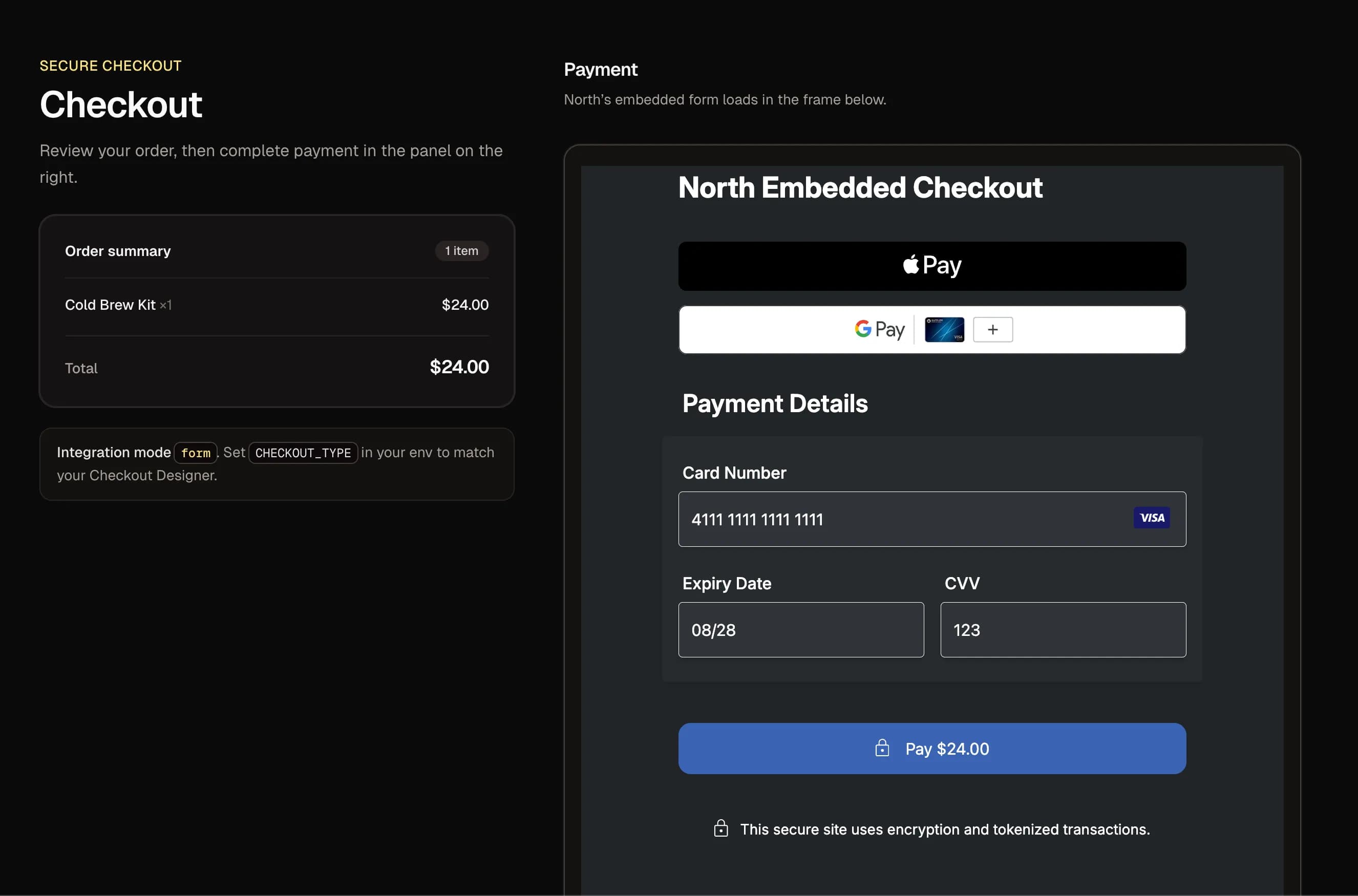
Integration method overview
For all three Embedded Checkout types, Form, Fields, or Direct Post, session creation is essentially the same; the differences are what you mount and how payment form submission works. Note that because Direct Post increases PCI responsibility, it is recommended only when product requirements and compliance resources call for it.
Form
North renders a complete hosted payment form inside a container div. Your code loads checkout.js, calls checkout.mount(sessionToken, containerId), and verifies the payment response.
| Pros | Cons |
|---|---|
| Fastest time-to-first-transaction; minimal UI work | Less layout control. You’re fitting North’s full form into your page |
Fields
North mounts hosted payment fields into your layout; you supply the surrounding markup and the Pay action, then call checkout.submit() when the shopper confirms.
| Pros | Cons |
|---|---|
| Strong branding control; you decide button labels, spacing, validation UX, etc. | Slightly more wiring (mount + explicit submit) |
Direct Post
Your page posts raw card data through North’s client SDK (checkout.sendPayment). This is powerful but increases PCI obligations for most real-world storefronts.
| Pros | Cons |
|---|---|
| Maximum UI control over inputs; useful in tightly controlled or legacy flows | Higher PCI scope; treat as specialized |
Get in Touch
Questions about Embedded Checkout, the Checkout Designer, or Next.js? Talk to our team about your integration.
Official reference documentation
The official Embedded Checkout sample code is available in the following GitHub repository: North-EC-Sample-JS (Bun server + static demos for Form, Fields, Direct Post, and a /complete/ flow). It mirrors the same steps as the Integration Guides and can be used alongside this article’s Next.js mapping.
Keep the guides open while you build:
Prerequisites
- Sign up for a North Developer account.
- Install Node.js and npm (or pnpm/yarn) for local development.
- Create a Vercel account (or another host) for an
https://deployment.
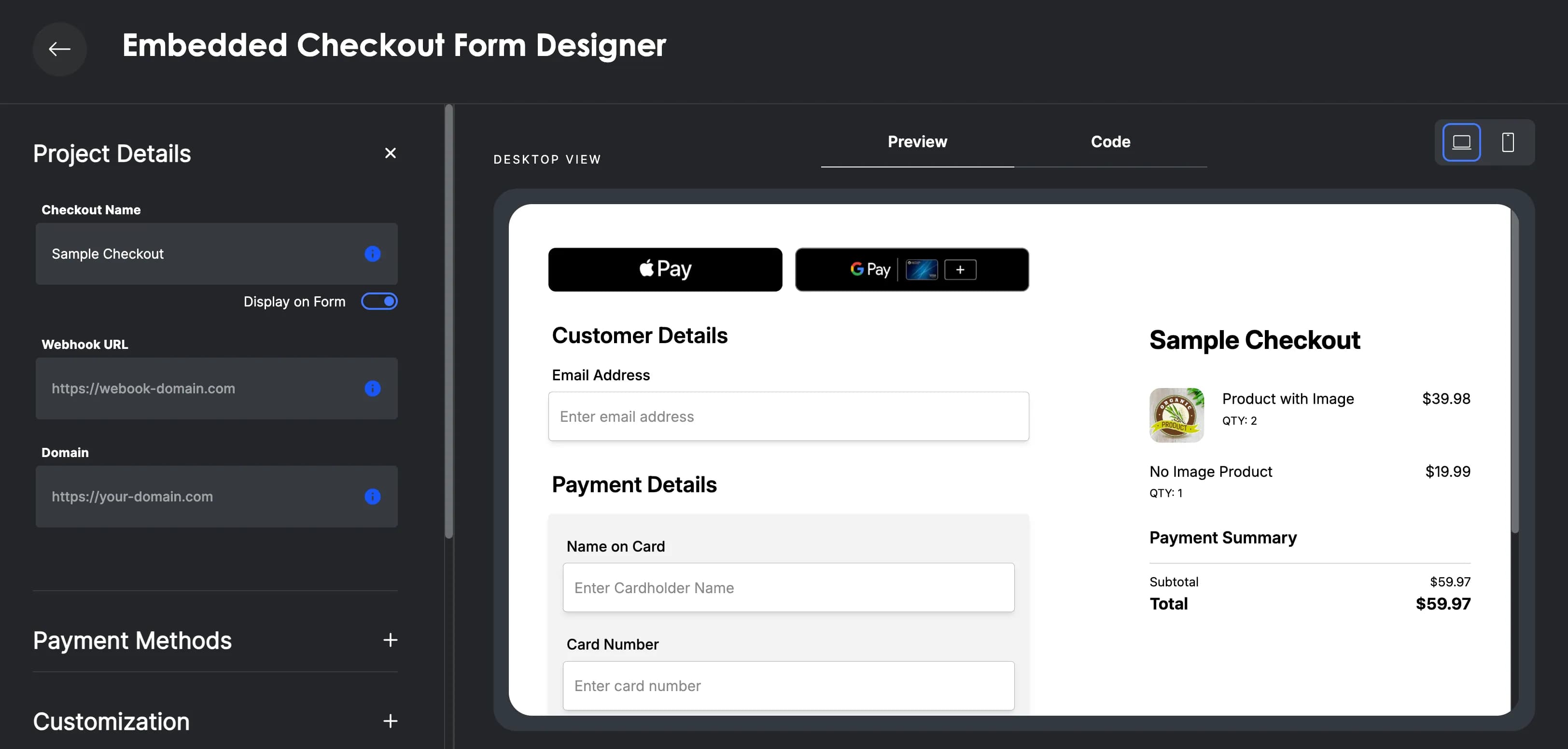
1. Create a checkout with the Checkout Designer
Before writing any code, you'll configure a checkout instance in North.
- Navigate to the Embedded Checkout product page, select the Embedded Checkout method you'd like to integrate (Form, Fields, or Direct Post) and open the Checkout Designer. This tutorial will cover all three integration methods.
- In the Checkout Designer, adjust the settings as relevant to your business case, and note the following:
- Domains/allowed origins: If you already host an app (or in this case a demo storefront, for example
https://steam-and-leaf.vercel.app), configure the allowed domains so the hosted iframe and scripts can initialize in production-like conditions. - Receipt behavior: Decide how merchant-facing receipts should behave and where they should be emailed.
- Webhooks: Any webhook URL must use
https://. Until your checkout is published, webhooks will not be functional.
- Click Save. You’ll be redirected to the Embedded Checkout dashboard where identifiers and secrets for your checkout instance are provided.
Credentials you’ll need
From the Embedded Checkout dashboard, collect these values for your .env file:
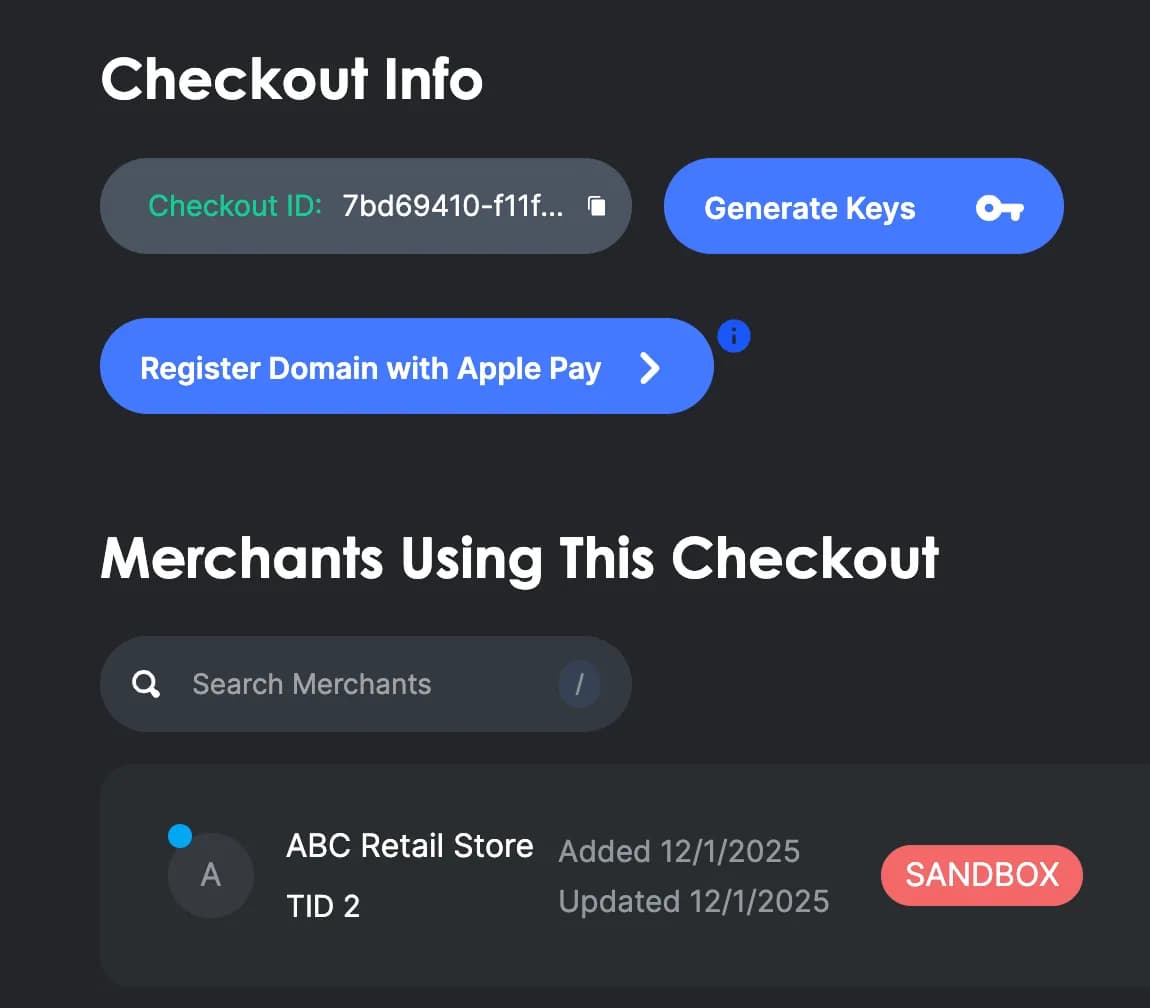
The signup webhook secret is provided in the API Keys modal when you configure a webhook URL in the Checkout Designer. When your integration is published, this webhook will notify you when merchants are attached to this checkout for real payment processing.
2. “Vibe code” an ecommerce app (AI-friendly prompt)
We’ll create a small specialty storefront selling coffee beans, tea, or any catalog that features product cards and a cart. Next.js App Router + TypeScript is a strong fit because:
- Route Handlers give you first-class
/api/*endpoints for session creation and verification on the same deployment. - Server/client boundaries are explicit, which helps keep private keys off the client.
- Type safety reduces mistakes when modeling cart lines and North payloads.
Use the prompt below that corresponds to your Embedded Checkout type (Form, Fields, or Direct Post).
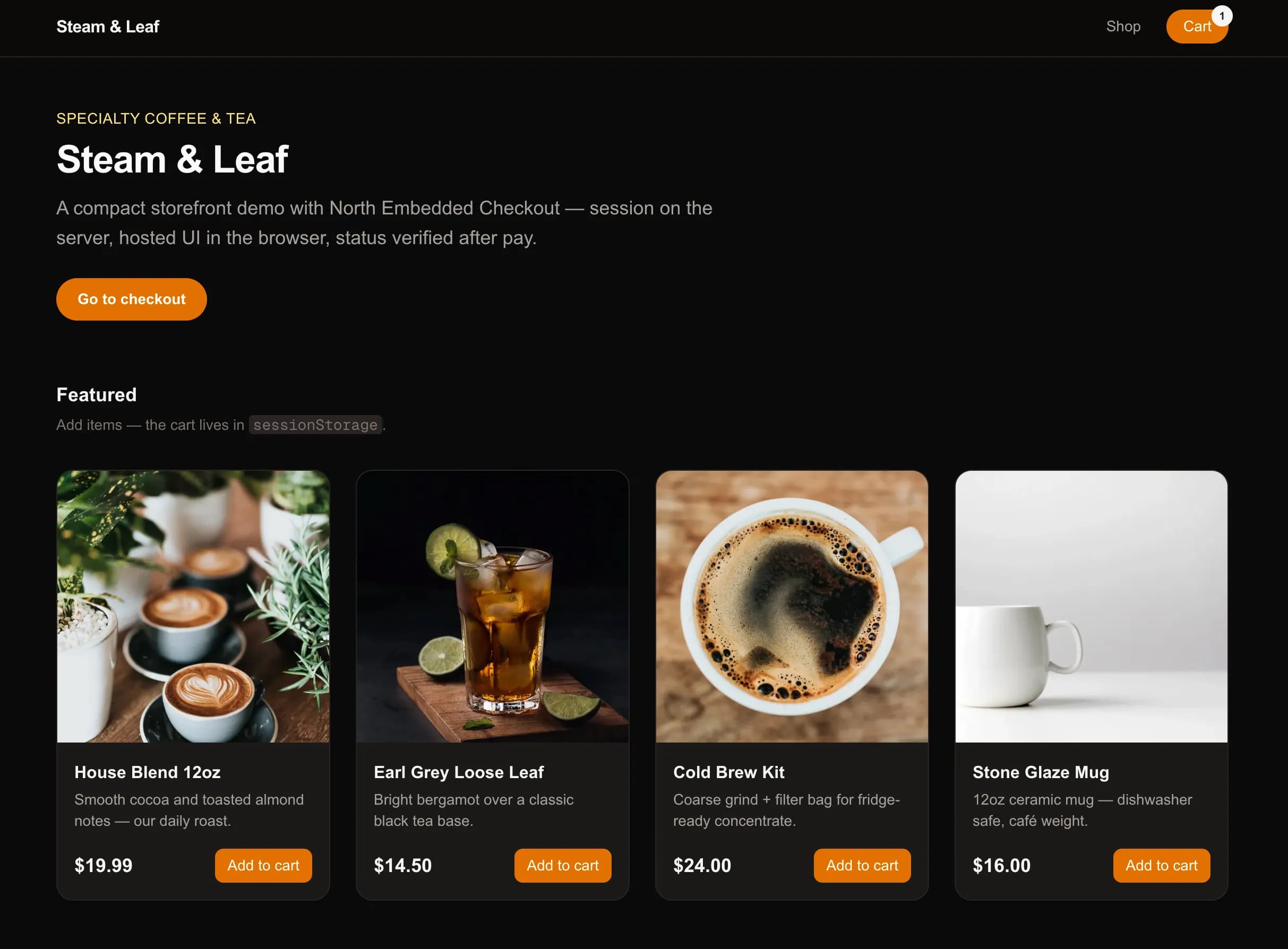
Form integration prompt
Build a Next.js App Router + TypeScript ecommerce demo with Tailwind. Include a home page, product grid, sessionStorage cart, and checkout page. Add
POST /api/session(proxyPOST https://checkout.north.com/api/sessionswithAuthorization: Bearer PRIVATE_API_KEY,Accept-Language=en,Accept-Encoding=gzip, deflate, br, zstd, andUser-Agent=Embedded Checkoutheaders, and JSON bodycheckoutId,profileId,amount,productsfrom the cart). AddPOST /api/complete: server-onlyGET https://checkout.north.com/api/sessions/statuswithAuthorization: Bearer PRIVATE_API_KEY,SessionToken,CheckoutId,ProfileId,Accept-Language=en,Accept-Encoding=gzip, deflate, br, zstd, andUser-Agent=Embedded Checkoutheaders—poll until Approved or Declined; return whether payment is approved—clear the cart only then. Loadhttps://checkout.north.com/checkout.jsonly on the checkout route (Form mode). Afterfetch('/api/session')returnstoken, callcheckout.mount(token, 'checkout-container')andcheckout.onPaymentComplete—thenPOST /api/completewithtokenandclientResponse. Add aPOST .../signupwebhook handler for nightly merchant signup notifications per North docs.
Fields integration prompt
Build a Next.js App Router + TypeScript ecommerce demo with Tailwind. Include a home page, product grid, sessionStorage cart, and checkout page. Add
POST /api/session(proxyPOST https://checkout.north.com/api/sessionswithAuthorization: Bearer PRIVATE_API_KEY,Accept-Language=en,Accept-Encoding=gzip, deflate, br, zstd, andUser-Agent=Embedded Checkoutheaders, and JSON bodycheckoutId,profileId,amount,productsfrom the cart). AddPOST /api/complete: server-onlyGET https://checkout.north.com/api/sessions/statuswithAuthorization: Bearer PRIVATE_API_KEY,SessionToken,CheckoutId,ProfileId,Accept-Language=en,Accept-Encoding=gzip, deflate, br, zstd, andUser-Agent=Embedded Checkoutheaders—poll until Approved or Declined; return whether payment is approved; clear the cart only then. Loadcheckout.jsonly on checkout. Fields client:fetch('/api/session')→ persisttoken→checkout.mount(token, 'fields-container')(hosted fields); your markup wraps the container; do not useonPaymentCompletefor the Pay flow. On your Pay button callcheckout.submit(), thenPOST /api/completewith the storedtokenand thesubmit()response. Add aPOST .../signupwebhook handler per North docs.
Direct Post integration prompt
Build a Next.js App Router + TypeScript ecommerce demo with Tailwind. Include a home page, product grid, sessionStorage cart, and checkout page. Configure
CHECKOUT_TYPE=post(or equivalent). AddPOST /api/sessionthat proxiesPOST https://checkout.north.com/api/sessionswithAuthorization: Bearer PRIVATE_API_KEY,Accept-Language=en,Accept-Encoding=gzip, deflate, br, zstd, andUser-Agent=Embedded Checkoutheaders, and JSON bodycheckoutId,profileId, andamount(Direct Post session body per Post integration guide—typically amount-centric, no cart line items required). AddPOST /api/complete: server-onlyGET https://checkout.north.com/api/sessions/statuswithAuthorization: Bearer PRIVATE_API_KEY,SessionToken,CheckoutId,ProfileId,Accept-Language=en,Accept-Encoding=gzip, deflate, br, zstd, andUser-Agent=Embedded Checkoutheaders—poll until Approved or Declined; return whether payment is approved; clear the cart only then. Loadcheckout.jsonly on checkout. Client:fetch('/api/session')→checkout.sendPayment(token, { amount, cardNumber, exp, cvv, zip })with digits-only strings—only if Direct Post fits your PCI posture—thenPOST /api/complete. Add aPOST .../signupwebhook handler per North docs.
3. Integrate Embedded Checkout (three parallel paths)
The initial wiring is shared among all three integration methods: create a server session, return a token, mount North’s UI. Then each method diverges.
In the walkthroughs below, paths like /api/session and /api/complete mean “your Next.js Route Handlers” (you can choose other URLs). On the server, those Route Handlers read PRIVATE_API_KEY, CHECKOUT_ID, and PROFILE_ID from the environment and forward requests to North so you'll keep your private key off the client.
Match the Create Session request body (the JSON your /api/session handler forwards to North) to your integration mode: CHECKOUT_TYPE form, fields, or post, as described in the relevant Integration Guide.
Form
For Embedded Checkout Form, send a POST request to North to create a session for the total amount to be sent in the payment request and an array of products in the customer's shopping cart. When both amount and products are sent, amount is optional, but if it's included, North expects it to equal the computed total cost of the products. Your POST /api/session handler should validate that before forwarding. If you don't include products, amount is required.
Your browser calls your API with a cart-shaped body which your Route Handler forwards to North’s session endpoint. JSON is returned that includes a bearer token:
Route Handler example:
Load https://checkout.north.com/checkout.js only on the checkout route (for example using next/script). The checkout.js script exposes a global checkout object after load.
Checkout page example:
Give the mount <div> enough minimum height using CSS on #checkout-container iframe.
Mount the hosted form into an empty container element:
Use onPaymentComplete for immediate browser UX (for example showing a thank-you state or surfacing data from clientPayload). That callback only means that the hosted checkout reported a result to your page. It is not, by itself, proof that North recorded an Approved payment that your server should trust. Post token and clientResponse to /api/complete as in Verify payment approval on the server later in this article, the same server-side step for every integration type.
Fields
For Embedded Checkout Fields, create a session with the cart total and products array: when both amount and products are sent, amount is optional, but if it is included, North expects it to equal the sum of the products. Your POST /api/session handler should validate that before forwarding. If you omit products, amount is required.
Your browser calls your API with a cart-shaped body which your Route Handler forwards to North’s session endpoint. JSON is returned that includes a bearer token:
Route Handler example:
Load https://checkout.north.com/checkout.js only on the checkout route (for example using next/script). The script exposes a global checkout object after load.
Checkout page example: the block below inlines a heading, a “Total” line (same amount you send in POST /api/session), two role="alert" regions (session/mount problems vs. submit/complete), a status line you can use for your own line- or field-level copy, the #fields-container for North to inject iframes, a Pay control outside the mount, and the session, mount, submit(), and /api/complete flow:
Because onLoad can run before the SDK assigns window.checkout, the effect above briefly retries (same idea as waiting for a script queue tick).
Server-side verification is one shared implementation: add POST /api/complete as in Verify payment approval on the server below. The FieldsCheckout example posts token and clientResponse and checks paymentApproved against that route’s contract.
Direct Post
For Embedded Checkout Direct Post, session creation is amount-centric. Your Route Handler forwards to North a body that includes checkoutId, profileId, and amount (additional fields, if any, follow the Direct Post Integration Guide). Example browser payload to your app:
Route Handler example:
Collect card fields only if your business's PCI-secure setup allows Direct Post, then call checkout.sendPayment:
Match field names to your Direct Post config.
After sendPayment, call the same POST /api/complete path as the other methods, see Verify payment approval on the server below, and pass the session token and whatever client response payload you use for server-side logging before you fulfill the order.
4. Verify payment approval on the server
Form, Fields, and Direct Post all use this single next step: a Route Handler such as POST /api/complete that never exposes PRIVATE_API_KEY to the browser and that calls North’s status API, never from the client.
Read the short-lived token (and an optional clientResponse for logging) from the JSON body, then issue:
GET https://checkout.north.com/api/sessions/status
| Required Header | Value |
|---|---|
Authorization | Bearer {PRIVATE_API_KEY} |
SessionToken | Short-lived session token from create-session (same value passed to checkout.mount / sendPayment). |
CheckoutId | Your CHECKOUT_ID env value. |
ProfileId | Your PROFILE_ID env value. |
Timing: Immediately after onPaymentComplete / submit() / sendPayment(), the API may still return Verified or Open. Poll until status is Approved or Declined, and only trust Approved for order fulfillment.
The status endpoint is not intended for browser calls from your page. Requests with an Origin header will fail.
Return { paymentApproved: true } with a 2xx status only when the polled status is Approved; return { paymentApproved: false, error: "…" } with a 4xx when it is not, so your client can require both a successful HTTP status and paymentApproved: true (as in the FieldsCheckout example). Example src/app/api/complete/route.ts:
5. Merchant signup webhook
North can POST to {webhookURL}/signup when newly boarded merchants associated with your account are added to your default checkout each night.
Configure a base webhook URL in the Checkout Designer so North can POST nightly merchant payloads to {yourWebhookBase}/signup. Because North appends /signup to whatever base you configure, set the base to something like https://your-app.example.com/api/webhooks/north so the full delivery URL is https://your-app.example.com/api/webhooks/north/signup (for example app/api/webhooks/north/signup/route.ts in the App Router).
The designer requires https://. Until the checkout is published, signup webhooks will not deliver.
- Headers:
X-Webhook-Signature,X-Webhook-Timestamp - Verification: Use your
sec_…signing secret; parset=andv1=fromX-Webhook-Signatureand compareHMAC-SHA256(secret, "<timestamp>.<raw_body>")tov1(hex, timing-safe). Use the exact raw body bytes, do not re-serialize JSON.
See the Integration Guide for the precise header format (t=…,v1=…) and verification steps.
Example Route Handler (must use raw body for signing):
Apple Pay and Google Pay™
Embedded Checkout can surface Apple Pay and Google Pay as alternative payment methods when configured for your checkout and domain. Follow the Integration Guide steps for wallet enablement, domain association files on your host, and sandbox testing.
Submit a test transaction in Sandbox
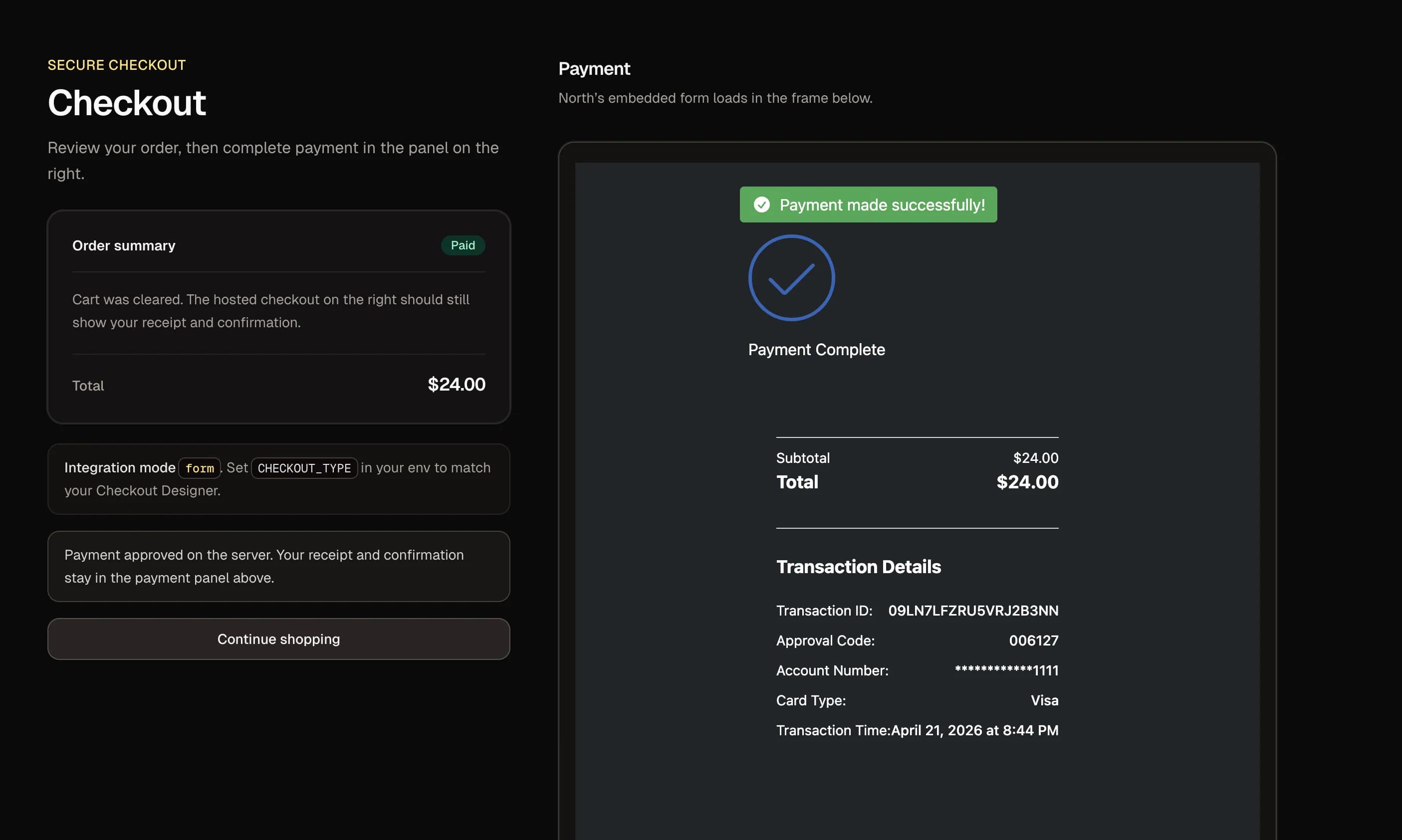
Use the following test card data to send a payment request in the sandbox environment. North's in-house payment processor will return a real response, not a mocked response that may or may not match the real thing.
Use response trigger values to simulate approvals, declines, and edge cases; don’t only test the happy path.
Deploy to Vercel or another host with https:// so origins, iframes, and webhooks behave realistically. Until your checkout is published, payments processed using your app will hit the sandbox environment even if it's deployed to your production site.
Publish your checkout to production
When you're ready to accept live payments through your checkout, use the Request Publish button from the Embedded Checkout dashboard to request that your checkout be reviewed and certified. After certification, payments submitted with your app will processed in the Production environment. You can edit a published checkout for many non-disruptive settings, but treat major changes with the same care you’d use for any payments configuration: plan, test in sandbox, then promote.
Add MIDs and start processing
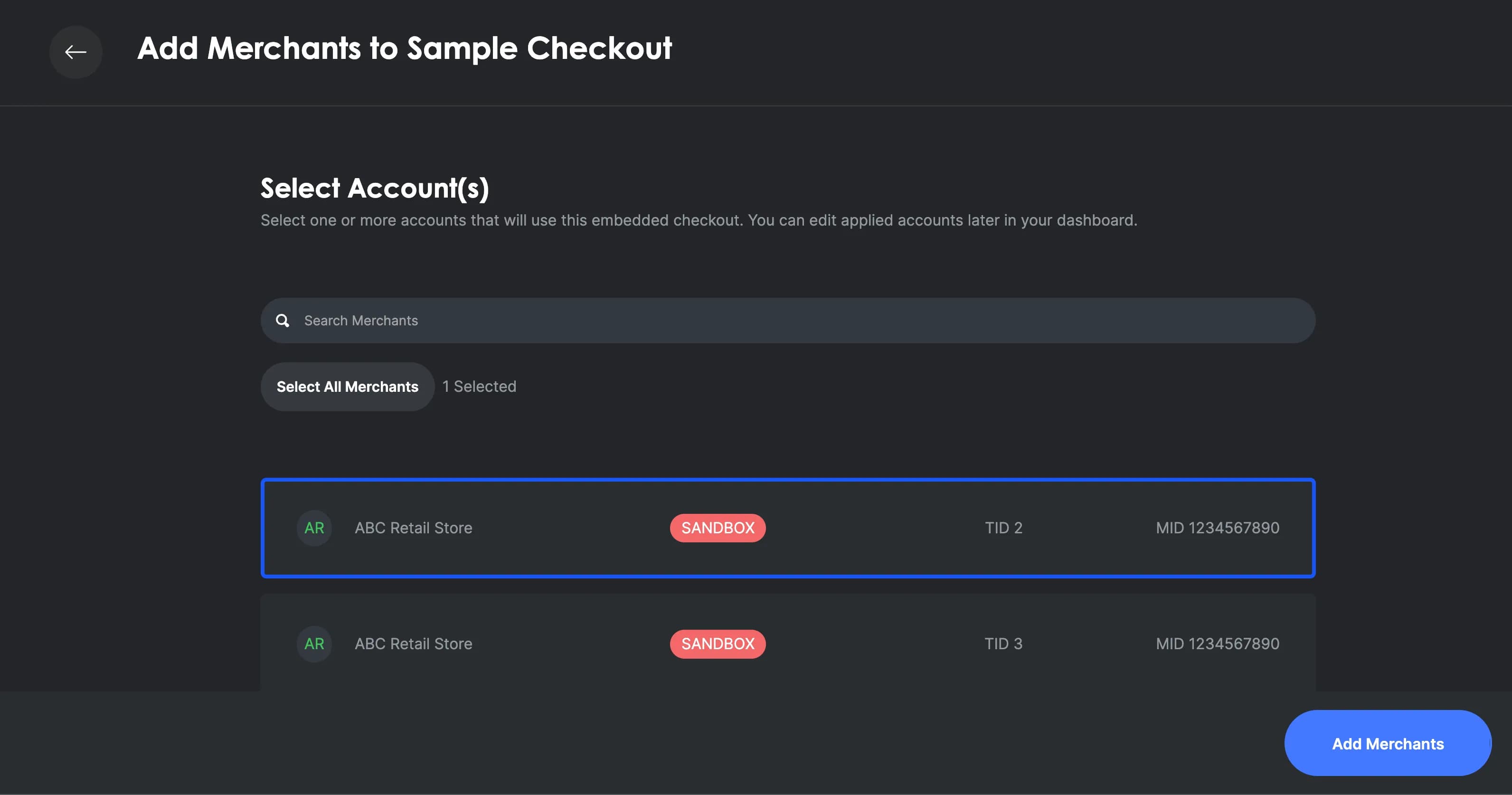
Contact us for more information about boarding production merchants (MIDs) for North payment processing, and attaching them to your checkout instance so live transactions route through your checkout configuration. Until real merchants are boarded and linked, your integration is effectively a sandbox demo: no seller is actually getting paid through your software. Boarding and attaching MIDs is what turns that demo into a live product. Each seller you add can run real transactions through the checkout you built.
Closing
Embedded Checkout lets businesses ship on-brand payments without reinventing PCI-sensitive infrastructure. Form and Fields are the usual choices for ecommerce, Direct Post is specialized, and server verification plus HTTPS webhooks turns a basic ecommerce store into a trustworthy business system. Start in the Checkout Designer, mirror those settings in environment variables, keep secrets on the server, verify Approved payments via session status, then promote from sandbox to production with confidence.